Introducing a new set of tools for llms.txt that help you create and check llms.txt, or transform llms.txt files into MCP servers Parallel Web Systems | Build the world wide web for AIs
Introducing LLMTEXT, an open source toolkit for the llms.txt standard
TL;DR: We're launching LLMTEXT, an open source toolkit that helps developers create, validate, and use llms.txt files—making any website instantly accessible to AI agents through standardized markdown documentation and MCP servers.
Tags:Product Release
Reading time: 7 min

The web wasn't built for AI agents.
Wikipedia recently reportedrecently reported an 8% decline in human visitors, and AI has overtaken humansAI has overtaken humans as the primary user of the web this year. As LLMs increasingly become the primary way people interact with online information, websites face a critical challenge: how do you serve both human visitors and AI agents effectively?
Today, we’re proud to support the launch of LLMTEXTLLMTEXT, an open source toolkit by Jan WilmakeJan Wilmake to help grow the llms.txt standard. With these tools, developers can more easily create llms.txt files for their websites, check their website’s existing llms.txt for validity, or turn any existing llms.txt into a dedicated MCP (Model Context Protocol) server.
What is LLMTEXT, and why did we make it?
Jeremy HowardJeremy Howard introduced the llms.txt standardllms.txt standard to make websites more friendly for large-language models (LLMs) by giving them access to Markdown files that contain the site’s most important text, explicitly excluding distracting elements that otherwise fill up their context windows. The spec has already been adopted by companies like Anthropic, Cloudflare, Docker, HubSpot, and many others.
At Parallel, we believe that AIs will soon be the primary users of the web, which is why we support initiatives like llms.txt that introduce new standards and frameworks to embrace that future.
What tools are available on LLMTEXT?
The three LLMTEXT tools we're releasing today serve two purposes. First, the llms.txt MCP helps developers use projects without hallucination by getting a dedicated MCP for every library or API they use that supports llms.txt. On the other hand, the **Check tool** and **Create tool** aid websites to serve their users the best possible experience. Let's dive into each tool.
llms.txt MCP tool
The ****llms.txt MCP ****turns any public llms.txt into a dedicated MCP server. You can think of this like Context7, but instead of one MCP server for all docs, it’s a narrowly-focused MCP server for a website, making it easier to get the right context for products you use often. It also works fundamentally differently: Where Context7 uses Vector search to determine what’s relevant, the ****llms.txt MCP ****leverages the reasoning of the LLM based on the llms.txt overview to decide which documents to ingest into the context window.
An LLMTEXT MCP being used in Cursor

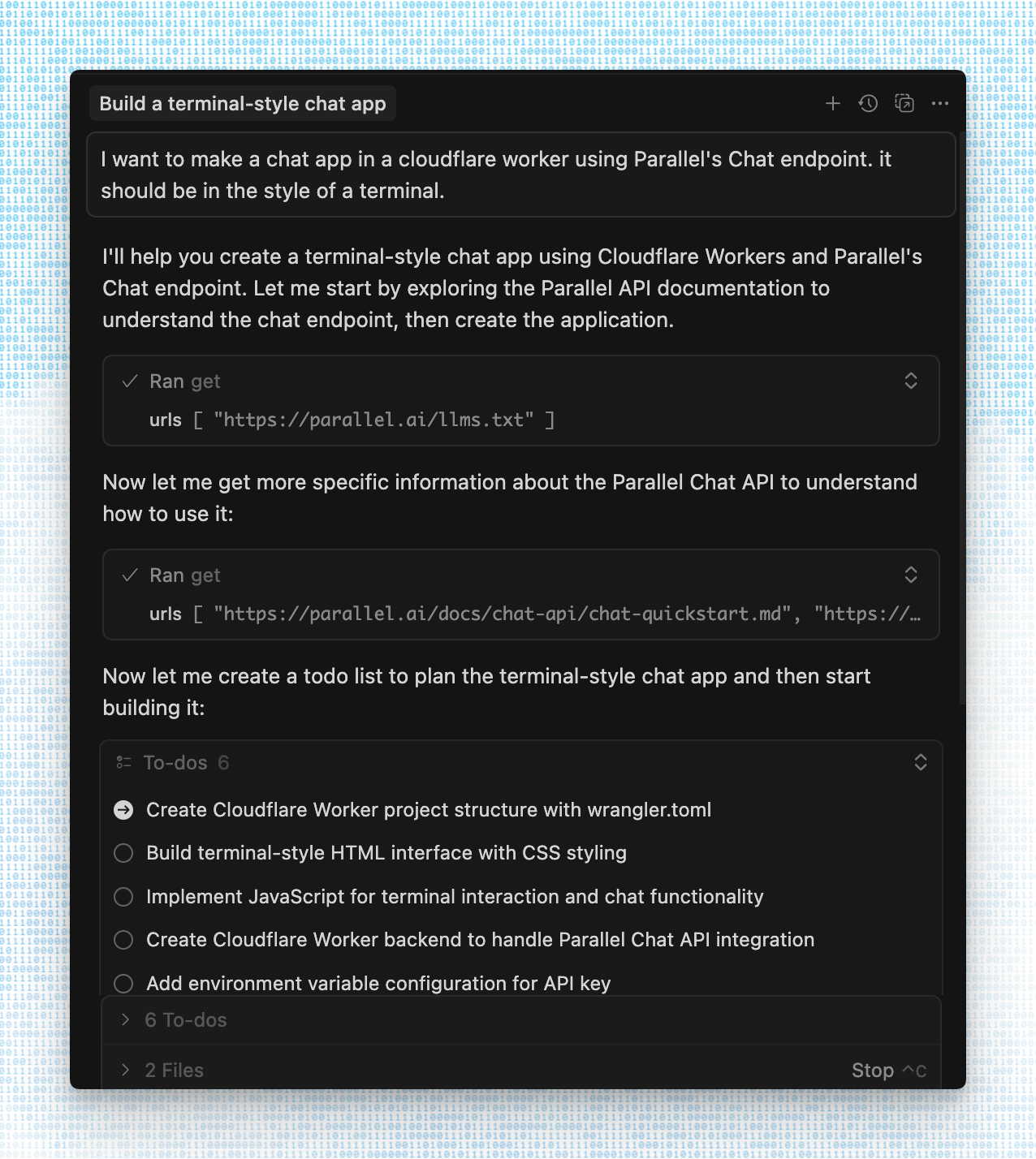
Many developers have already been using llms.txt or the linked markdown files by manually copying them into their context window, but the llms.txt MCP smoothens this process by having one-click installation and providing the LLM with clear instructions on how to ingest the right context when needed. The MCP exposes two tools:
- ****get - ****explains what this llms.txt is about, will first retrieve the llms.txt itself, then be used again to retrieve multiple relevant contexts for any task
- ****leaderboard - ****shows the most active users of the MCP and other insights
The ****llms.txt MCP ****can be installed for any llms.txt that follows the standardthe standard.
Check tool
When building the llms.txt MCP and trying it out on some of the available MCPssome of the available MCPs, many of them turned out to be incorrect according to the llms.txt prescribed formatllms.txt prescribed format for various reasons.
An example of validation for Docker's llms.txt

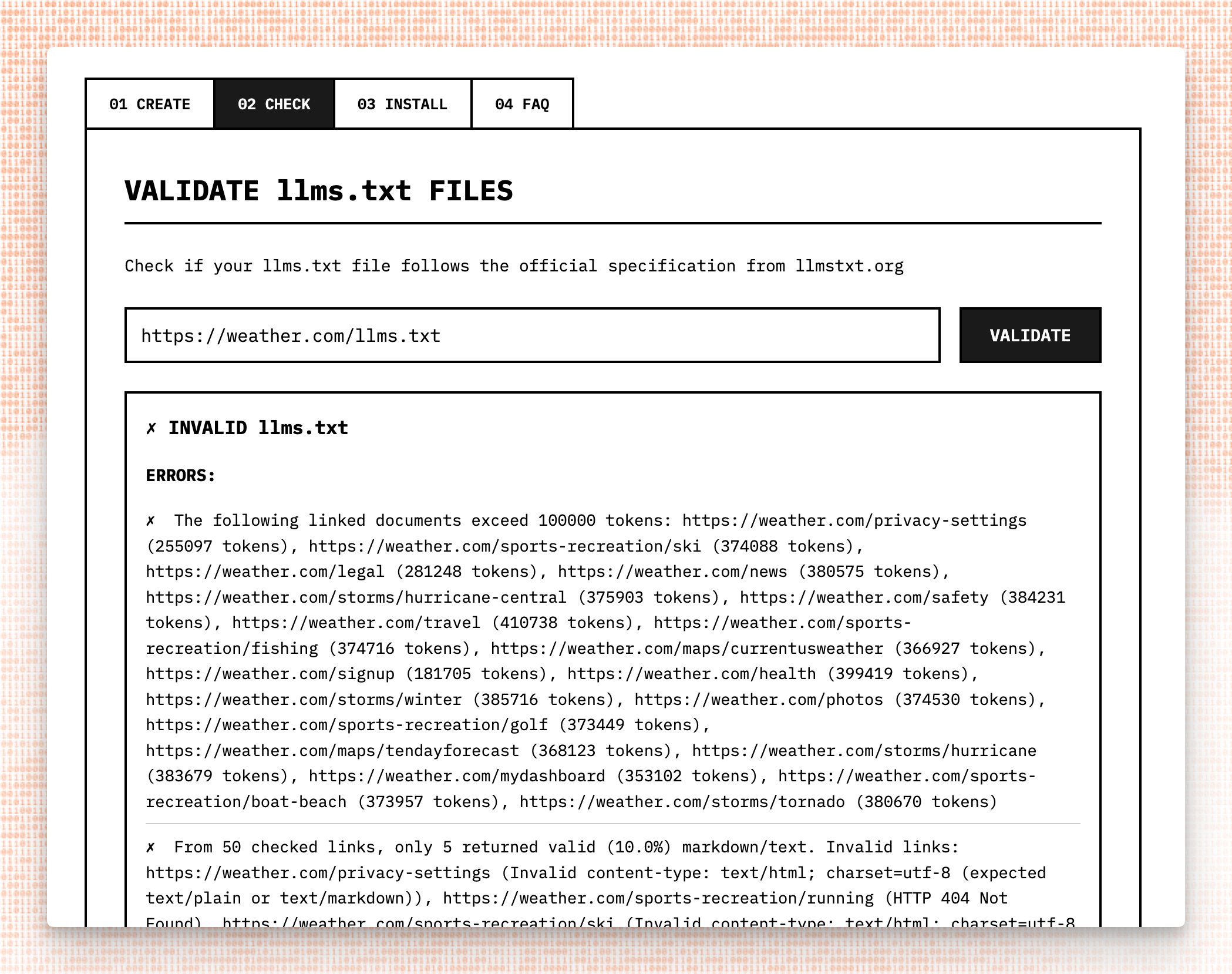
The goal of your llms.txt should be to give LLMs the best possible overview: a table of contents to determine where to look for the right information. Or, as our Co-founder and Head of Product, TraversTravers, puts it, the goal is to retrieve the tokens that agents need to answer or make the next best decision in a loop. This means that you should have clear, distinct titles and descriptions of pages, and the individual results of pages shouldn't be too long.
To incentivize companies to fix their llms.txt and to provide only the best quality to our users, LLMTEXTLLMTEXT only allows installing MCP servers that adhere to the spec fully. Here are the most common mistakes we found in llms.txt files, with examples from popular websites:
### Document Size
To get the most out of llms.txt, documents should be token-efficient. For example, https://developers.cloudflare.com/llms.txthttps://developers.cloudflare.com/llms.txt($https://developers.cloudflare.com/llms.txt) is 36,000 tokens for just the table of contents, creating a very large minimum amount of tokens.
Another example is https://docs.cursor.com/llms.txthttps://docs.cursor.com/llms.txt($https://docs.cursor.com/llms.txt), which serves links to several languages. This isn't succinct and creates unnecessary overhead to an LLM that knows most languages.
To make token usage efficient when wading through context, it's best if the llms.txt itself is not bigger than the pages being linked to. If it is, it becomes a significant addition to the context window every time you want to retrieve a piece of information.
Another example is https://supabase.com/llms.txthttps://supabase.com/llms.txt($https://supabase.com/llms.txt), where the first document linked contains approximately 800,000 tokens, which is far too large for most LLMs to process. As a first rule, we recommend keeping both llms.txt and all linked documents under 10,000 tokens.
### Incorrect content-type
The llms.txt itself, as well as the links it refers to, must lead to a text/markdown or text/plain response. This is the most common mistake in llms.txt files today.
For example, https://www.bitcoin.com/llms.txthttps://www.bitcoin.com/llms.txt($https://www.bitcoin.com/llms.txt) and https://docs.docker.com/llms.txthttps://docs.docker.com/llms.txt($https://docs.docker.com/llms.txt) both return HTML for every document linked to, and while listed in some registries, https://elevenlabs.io/llms.txthttps://elevenlabs.io/llms.txt($https://elevenlabs.io/llms.txt) responds with an HTML document.
In many cases, the content-type is text/plain or text/markdown, yet it can't be parsed according to the specthe spec. For example, https://cursor.com/llms.txthttps://cursor.com/llms.txt($https://cursor.com/llms.txt) just lists raw URLs without markdown link format, https://console.groq.com/llms.txthttps://console.groq.com/llms.txt($https://console.groq.com/llms.txt) does not present its links in an h2 markdown section (##), and https://lmstudio.ai/llms.txthttps://lmstudio.ai/llms.txt($https://lmstudio.ai/llms.txt) returns all documents directly, concatenated.
### Not served at the root
Many companies ended up not serving their llms.txt at the root. For example, https://www.mintlify.com/docs/llms.txthttps://www.mintlify.com/docs/llms.txt($https://www.mintlify.com/docs/llms.txt) and https://nextjs.org/docs/llms.txthttps://nextjs.org/docs/llms.txt($https://nextjs.org/docs/llms.txt) are not hosted at the root, making it hard to find programmatically.
Create tool
Most websites aren't adapted to the AI internet yet, and instead serve as HTML content intended for humans. Most CMS systems don't support the creation of a Markdown versions either. There are several llms.txt generators (hosted as well as libraries) found on the internet, but many are specific to a certain framework. And many tools to create llms.txt don’t actually follow the llms.txt spec.
For example, some tools just create the llms.txt file itself, but don't refer to plain text or markdown variants of the pages.
Parallel's llms.txt, created with the create tool from LLMTEXT

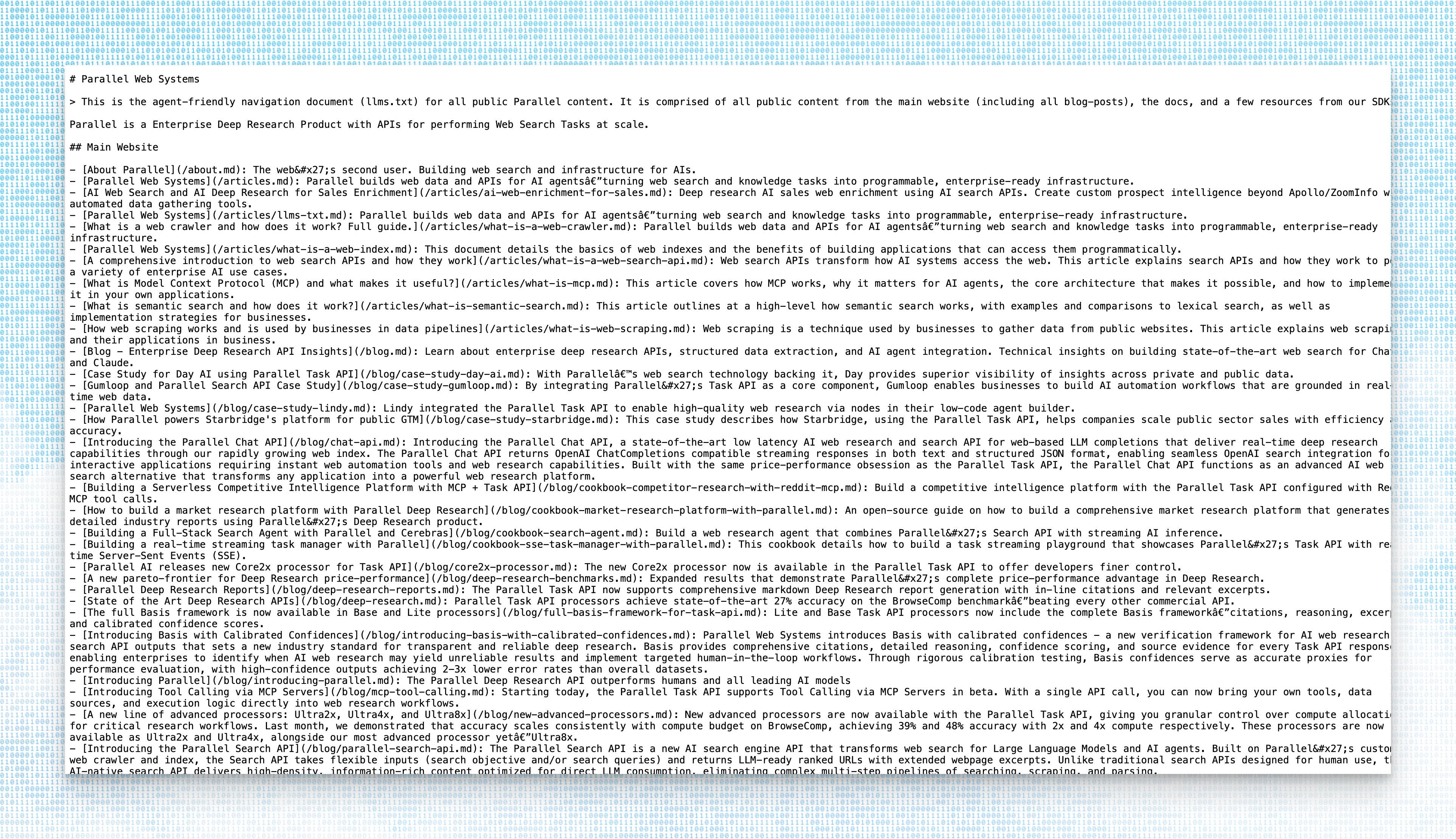
The extract-from-sitemapextract-from-sitemap tool is a framework-agnostic way to generate an llms.txt from multiple sources. It scrapes all needed pages and turns them into markdown, powered by the new Parallel Extract APIParallel Extract API (beta). We used this library to create our own llms.txtour own llms.txt, which is also available through this repothis repo as reference, and installable as MCPinstallable as MCP for those building with Parallel's APIs.
Plans for LLMTEXT
This is just the beginning. We hope that the llms.txt standard thrives and evolves into a more valuable standard with many use-cases. We've already started improving the tooling and adding utilities, and hope to see the open source community contribute as well.
About Jan Wilmake
Jan has been an active OSS developer building dev tools in the AI context management space. His work includes uithub.comuithub.com, a context ingestion tool for GitHub, and the openapi-mcp-serveropenapi-mcp-server, which allows ingesting the full API specification of the operations you’re interested in, following a very similar pattern to how the llms.txt MCP works.
About Parallel Web Systems
Parallel develops critical web search infrastructure for AI. Our suite of web search and agent APIs is built on a rapidly growing proprietary index of the global internet. These solutions transform human tasks that previously took weeks into agentic tasks that now take just minutes.
Fortune 100 companies use Parallel’s search and agent APIs in insurance, finance, and retail, as well as AI-first businesses like Clay, Starbridge, and Sourcegraph.

By Parallel
October 30, 2025